Claude Code for Grandma
“That AI stuff is useless anyway.”
That's what our grandma told me — technically my mother-in-law Martina, who designs measurement and control systems. And she didn't say it lightly. She tried what everyone tries: she typed into a chat. The answer came back nicely worded, but her work didn't get any lighter.
It bugged me. Not because she was wrong — in that chat window, she's right. I just don't think that's the way in. So I wrote her a guide. And then it turned out that almost everyone I showed it to needed the same thing.
Claude Code is the same AI, except it works right on your computer. It opens your files, does the work and saves the finished file where it belongs. You don't need to know how to code.
I've built over 80 projects with it, and I help colleagues at Sportega and eRockets work with it, as well as people at Grizly and Vuch. But what I'm proudest of is what my brilliant wife has managed with Claude 💛
Why it works better than a chat
Material
Goes into the folder and gets it itself
Result
Saves the finished file where it belongs
Errors
Runs it, sees the error and fixes it
Scope
Works through dozens of steps in one go
Tools
Installs whatever the job is missing
Memory
Notes and settings stay in the project
A chat can give advice. Claude Code does the work. It isn't smarter — it just sees your files, can get what it needs on its own, and doesn't stop after the first answer.
What you can build with it
I have more than 80 finished projects behind me. Analyses, overviews, websites, tools that companies use or that I use myself.
Three examples:
Talking to company data
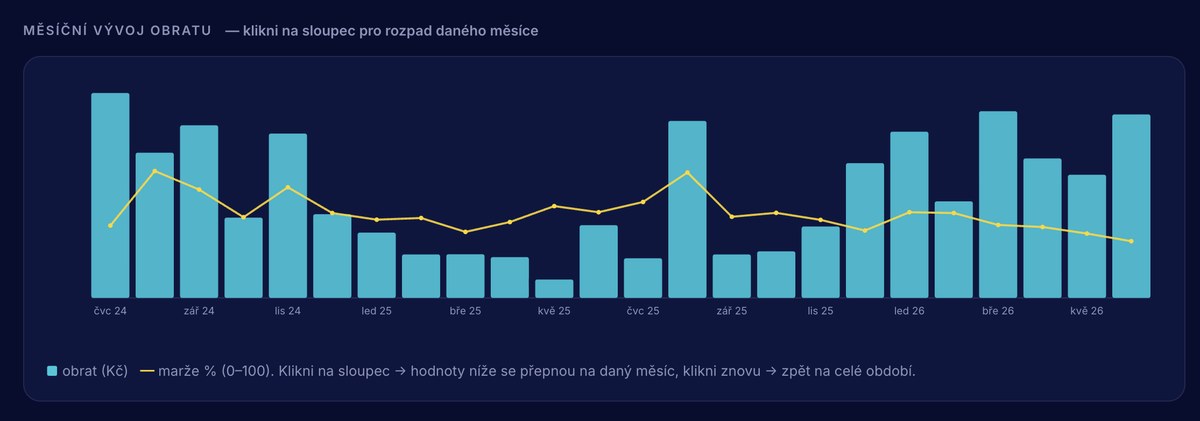
Instead of clicking around in Power BI, I ask about the numbers in a sentence. The answer is a finished report within moments — plus a suggestion of what to do next.
An internal database of tennis clubs
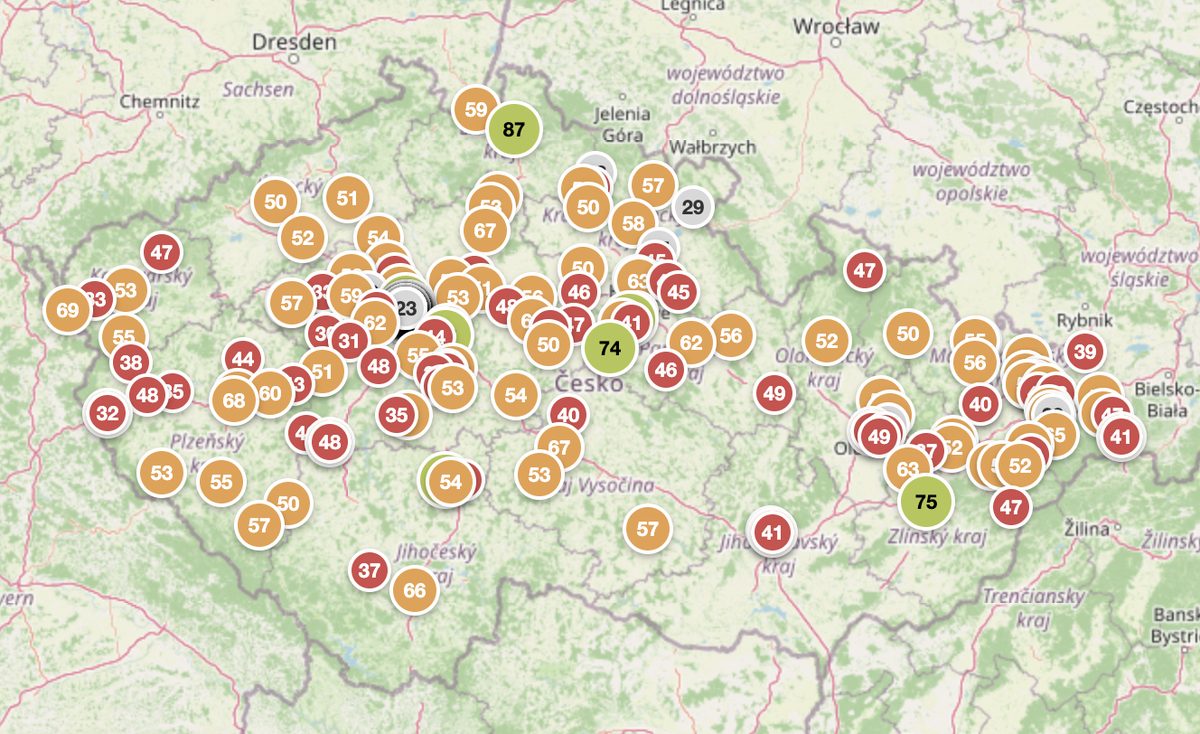
An interactive map of clubs, connected to the CRM and a tournament database, including our own rating.
Market research there would otherwise be no time for
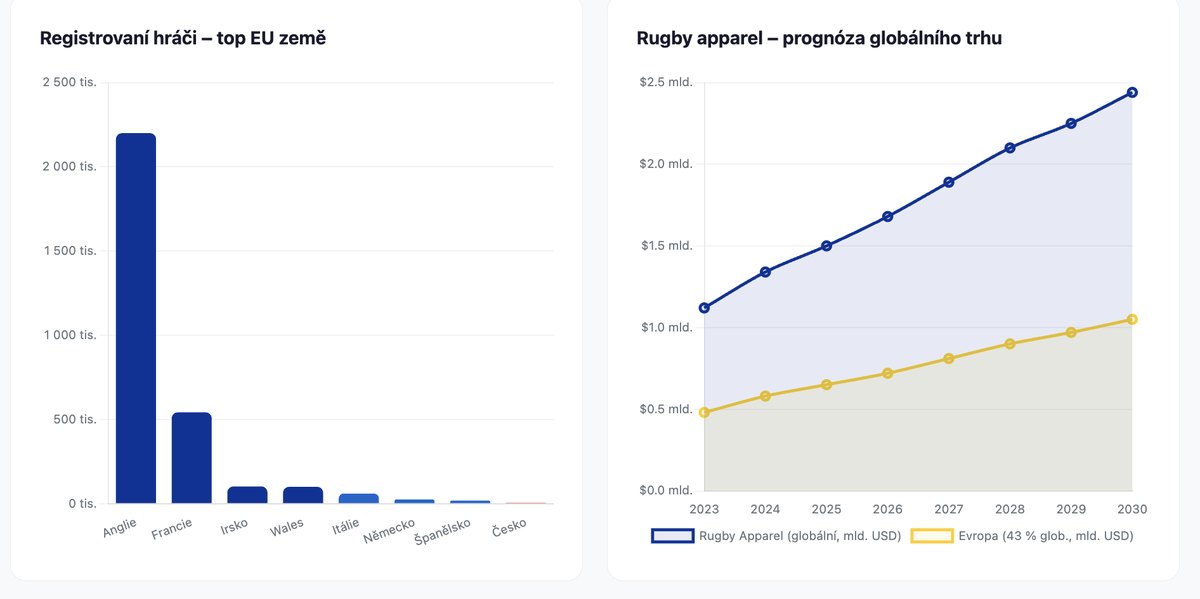
It goes through a given field, maps how it has developed and who the main players in the region are.
Where next
- Examples — finished outputs you can open
- Getting started — installing, the first run and how to write a brief
- Next steps —
CLAUDE.md, commands and how to live within the limit - What it's for, and what it isn't — where it pays off and where it doesn't
- Skills — how to turn a well-tuned process into a command